The Rise of Local AI: Running LLMs on Your Own Hardware in 2026
How to run large language models locally in 2026 — hardware requirements, best models, software tools, and why local AI is exploding.
Share this article
You don't need an API key or a cloud subscription to use powerful AI anymore. In 2026, running large language models on your own hardware has gone from niche hobby to mainstream capability. A $1,000 PC or even a recent MacBook can run AI models that rival what cloud services offered just 18 months ago. Here's everything you need to know about the local AI revolution.
Why Run AI Locally?
Before diving into the how, let's address the why. Cloud AI services like ChatGPT, Claude, and Gemini are convenient. Why bother running models yourself?
Privacy
When you send a prompt to ChatGPT, that data goes to OpenAI's servers. They may use it for training (unless you opt out), and it passes through their infrastructure regardless. For personal journals, medical questions, legal documents, business strategy, or anything sensitive, sending it to a third party is a legitimate concern.
Local AI never leaves your machine. Your prompts, your responses, your data — all on hardware you control. No terms of service, no data retention policies, no breaches that leak your conversations.
Cost
GPT-4 class models through API cost roughly $30-60/month for moderate use. Claude Pro is $20/month. These subscriptions add up, and they're usage-capped. Heavy users easily hit rate limits.
Local AI has zero marginal cost. Once you've invested in hardware (which you may already own), every query is free. For developers building AI-powered applications, this eliminates API costs entirely during development and testing.
Speed and Availability
Cloud AI services have outages. They have rate limits. They have variable latency depending on server load. During peak hours, response times can spike to 10-30 seconds for complex queries.
Local inference is consistently fast and always available. No internet required. No "we're experiencing high demand" messages. Your AI works on an airplane, in a cabin in the woods, or during an internet outage.
Customization
Cloud models are one-size-fits-all. You can't fine-tune GPT-4 on your company's documentation, code style, or domain expertise (not without significant cost and complexity).
Local models can be fine-tuned, quantized, merged, and customized endlessly. Want a model that writes code in your team's style? Train a LoRA adapter on your codebase. Want one that understands your industry's jargon? Fine-tune on your documents. The open-source ecosystem makes this accessible.
Hardware Requirements in 2026
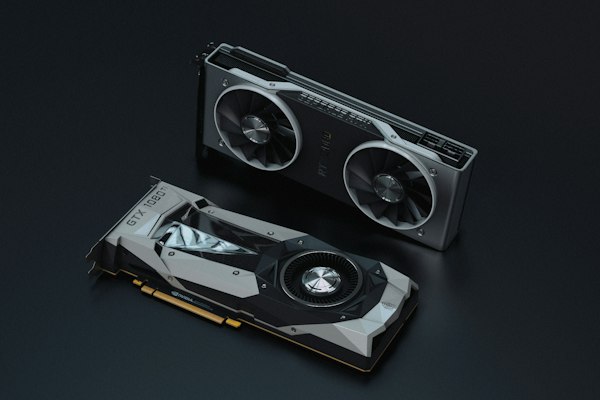
GPU (Most Important)
VRAM is the bottleneck. The model must fit in GPU memory for fast inference. Here's what different VRAM amounts can run:
| VRAM | Model Size | Examples |
|---|---|---|
| 6GB | 7B parameters (Q4 quantized) | Mistral 7B, Llama 3.1 8B |
| 8GB | 7-13B parameters (Q4) | Llama 3.1 8B full, Mistral 7B Q6 |
| 12GB | 13B parameters (Q4-Q6) | Llama 3.1 13B, CodeLlama 13B |
| 16GB | 13-30B parameters (Q4) | Mixtral 8x7B Q4, Qwen 2.5 32B Q4 |
| 24GB | 30-70B parameters (Q4) | Llama 3.1 70B Q4, DeepSeek V3 Q3 |
| 48GB+ | 70B+ parameters (higher quant) | Llama 3.1 70B Q6, full precision smaller models |
Recommended GPUs for local AI in 2026:
- Budget ($200-350): NVIDIA RTX 4060 Ti 16GB — the sweet spot for most people. 16GB VRAM handles 13B-30B models comfortably.
- Mid-range ($500-700): NVIDIA RTX 5070 Ti 16GB or RTX 4090 D (used) — excellent 16-24GB VRAM options for 30B+ models.
- High-end ($1000+): NVIDIA RTX 5080 16GB or RTX 5090 32GB — the RTX 5090's 32GB GDDR7 can run 70B models at reasonable quality.
- Professional ($1500+): Used NVIDIA A6000 48GB — older workstation card, but 48GB VRAM is unbeatable for large models.
AMD GPUs work for local AI through ROCm, but NVIDIA's CUDA ecosystem remains significantly better supported. Most tools, optimizations, and guides assume NVIDIA hardware.
Apple Silicon Macs
Apple's M-series chips are surprisingly good for local AI, thanks to their unified memory architecture. The GPU and CPU share the same memory pool, so a MacBook Pro with 36GB of unified memory can load models that would require 36GB of dedicated VRAM on a discrete GPU.
The tradeoff is speed. Apple's GPU is fast for its power envelope but slower than a dedicated NVIDIA card for pure inference throughput. A 70B Q4 model on an M4 Max with 64GB runs at about 15-20 tokens/second. The same model on an RTX 5090 runs at 40-60 tokens/second.
But for many use cases, 15-20 tokens/second is plenty fast. The Mac's advantage is silence (no GPU fans screaming), energy efficiency, and the ability to run massive models without a desktop workstation.
Recommended Mac configurations:
- M4 with 24GB ($1,599): Handles 7B-13B models well
- M4 Pro with 48GB ($2,799): Sweet spot for 30B models
- M4 Max with 64GB ($3,999): Runs 70B models comfortably
CPU-Only Inference
You can run AI models on just a CPU, without a GPU. It's slow — expect 2-5 tokens/second for a 7B model on a modern desktop CPU — but it works. For occasional use or simple tasks, CPU inference is free and requires no special hardware.
The key CPU features for AI inference are AVX-512 support (Intel 12th gen+, AMD Zen 4+) and lots of RAM. A Ryzen 7 7800X with 32GB DDR5 can run a 13B Q4 model at about 8 tokens/second, which is slow but usable.
The Software Stack
Ollama — The Easiest Way to Start
Ollama is the Docker of local AI. One command installs it, one command runs a model:
curl -fsSL https://ollama.ai/install.sh | sh
ollama run llama3.1:8b
That's it. You're chatting with Llama 3.1 8B locally. Ollama handles downloading, quantization, GPU detection, and serving. It exposes an OpenAI-compatible API, so tools built for ChatGPT can point at your local Ollama instance instead.
Ollama's model library includes all the popular open-source models: Llama 3.1 (8B, 70B, 405B), Mistral, Mixtral, CodeLlama, Phi-3, Gemma 2, Qwen 2.5, DeepSeek V3, and dozens more.
llama.cpp — Maximum Performance
llama.cpp is the engine under Ollama's hood (and many other tools). Written in C/C++ with no dependencies, it runs on virtually any hardware. If you want maximum control over quantization levels, context lengths, batch sizes, and GPU layer allocation, llama.cpp is the tool.
Most people don't need to touch llama.cpp directly — Ollama and other frontends abstract it well. But power users and developers building custom pipelines will find it essential.
LM Studio — The GUI Option
LM Studio provides a polished graphical interface for downloading, managing, and chatting with local models. It's like having a local ChatGPT with a conversation interface, model switching, and parameter tuning. Available for Windows, macOS, and Linux.
LM Studio is ideal for non-technical users who want to explore local AI without touching a terminal. The model discovery feature lets you browse and download from Hugging Face directly within the app.
Open WebUI — The Self-Hosted ChatGPT
Open WebUI gives you a ChatGPT-like web interface that connects to your local Ollama instance. It supports conversations, model switching, document upload (RAG), image generation, and multi-user accounts. Deploy it with Docker and access it from any device on your network.
This is the setup I recommend for households or small teams: one powerful machine running Ollama, with Open WebUI providing access from phones, tablets, and other computers.
Best Models for Local Use in 2026
For General Chat and Writing
- Llama 3.1 8B — Excellent quality-to-size ratio. Runs on almost anything.
- Qwen 2.5 32B — Significantly smarter than 8B models. Needs 16GB VRAM.
- Llama 3.1 70B Q4 — Approaches GPT-4 quality. Needs 24GB+ VRAM.
For Code Generation
- DeepSeek Coder V3 33B — Best open-source coding model at its size.
- CodeLlama 34B — Strong all-around coding capability.
- Qwen 2.5 Coder 32B — Excellent for code completion and generation.
For Reasoning and Analysis
- DeepSeek R1 Q4 — Open-source reasoning model that shows its work. Very impressive for math and logic.
- Llama 3.1 70B — Strong reasoning in a general-purpose package.
For Summarization and RAG
- Mistral 7B — Fast, good at following instructions, handles retrieval-augmented generation well.
- Phi-3 Medium (14B) — Microsoft's smaller model punches above its weight for structured tasks.
Real-World Use Cases
Developer Assistant
I run Qwen 2.5 Coder 32B locally as a code completion engine through Continue (VS Code extension). It provides context-aware completions, explains code, generates tests, and refactors functions — all without sending my proprietary codebase to any external service. Response times average 2-3 seconds for code completions on an RTX 4090.
Document Q&A (RAG)
Using Open WebUI's RAG feature, I've uploaded my company's entire documentation library (400+ PDFs). The system chunks documents, creates embeddings, and retrieves relevant context when I ask questions. "What's our policy on remote work for contractors in Germany?" returns an accurate answer with source citations in about 5 seconds.
Writing and Editing
Llama 3.1 70B is my go-to for writing tasks. It handles blog posts, email drafts, and document editing at a level that's genuinely close to GPT-4. The lack of content restrictions also means it won't refuse creative writing requests that cloud models sometimes balk at.
Personal Knowledge Base
I use Obsidian with a local LLM plugin that indexes my 3,000+ notes. Asking "What did I learn about Kubernetes networking from last month's debugging session?" surfaces relevant notes and synthesizes an answer. It's like having a personal search engine that actually understands natural language.
The Quantization Question
You'll see models described as Q4_K_M, Q5_K_S, Q6_K, Q8_0, and similar. These are quantization levels — methods of compressing model weights to use less memory at the cost of some quality.
- Q4_K_M — 4-bit quantization. Uses ~50% of the original memory. Quality loss is minimal for most tasks. This is the sweet spot for most users.
- Q5_K_M — 5-bit. ~60% memory. Slightly better quality than Q4. Good if you have the VRAM headroom.
- Q6_K — 6-bit. ~70% memory. Very close to original quality. Recommended if your hardware can handle it.
- Q8_0 — 8-bit. ~85% memory. Nearly lossless. For purists with lots of VRAM.
- F16/F32 — Full precision. Requires the most memory. Only for research or when accuracy is critical.
For casual use, Q4_K_M is perfectly fine. For professional or precision-critical work, use the highest quantization your hardware supports.
Privacy Considerations
Running AI locally doesn't automatically make you private. Consider these factors:
- Model telemetry: Most tools (Ollama, llama.cpp, LM Studio) don't phone home, but always verify. Check network traffic if you're paranoid.
- Model downloads: You're downloading from Hugging Face or Ollama's registry. They know which models you downloaded and your IP address.
- Embeddings and indexes: If you're using RAG with sensitive documents, the embedding database is stored locally but should be encrypted at rest.
- Physical security: If someone steals your laptop, they have access to your models, conversations, and indexed documents. Use full-disk encryption.
Getting Started: The $0 Path
You don't need to buy anything to try local AI. If you have a computer from the last 5 years:
- Install Ollama:
curl -fsSL https://ollama.ai/install.sh | sh - Run a small model:
ollama run phi3:mini - Start chatting
Phi-3 Mini runs on 4GB of RAM (CPU only) and is surprisingly capable for a 3.8B parameter model. It won't match GPT-4, but it'll handle basic questions, writing assistance, and code help at zero cost with complete privacy.
If you like what you experience, graduate to Llama 3.1 8B (needs 6-8GB VRAM or 8GB RAM for CPU), then to larger models as your hardware allows or as you invest in a GPU.
The Bottom Line
Local AI in 2026 is where self-hosted email was in 2010 — it takes more effort than the cloud alternative, but it offers privacy, control, cost savings, and customization that no subscription service can match. The gap between open-source and proprietary models is narrowing every quarter.
You don't need to go all-in. Start with Ollama and a small model. See if it fits your workflow. For many people, a local 8B model handles 80% of what they use ChatGPT for — and does it faster, cheaper, and more privately.
The hardware requirements will only keep dropping. The models will only keep improving. 2026 is an excellent time to start running AI on your own terms.
Enjoyed this? Share it